

2026 October Release
BTP Configuration
The BTP configuration consists of the following steps.
BTP Destinations
BTP Destinations are secure configurations that store connection and authentication details telling your cloud applications how to reach external remote systems or services. To create a Destination, follow these steps:
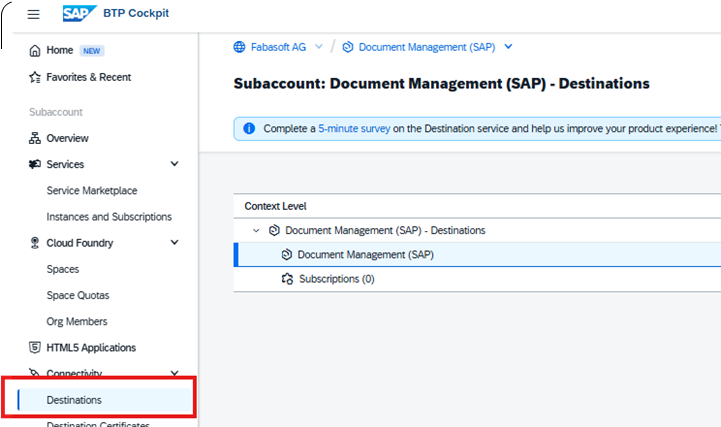
- Navigate to the “Connectivity” > “Destinations” tab in the BTP subaccount.
- In the context level submenu select the subaccount:
- Press “Create” to create a new Destination:
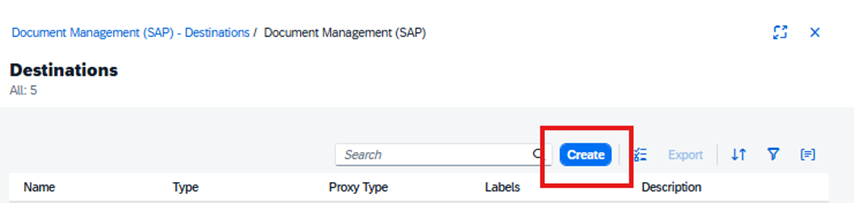
The further steps depend on destination type and use case and will be described in the following chapters.
Destination to Access the Fabasphere
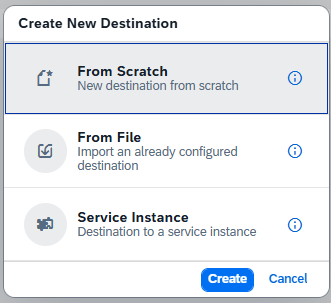
- Follow the steps described in chapter “BTP Destinations”, then select “From Scratch”.
- Fill the form with corresponding fields.
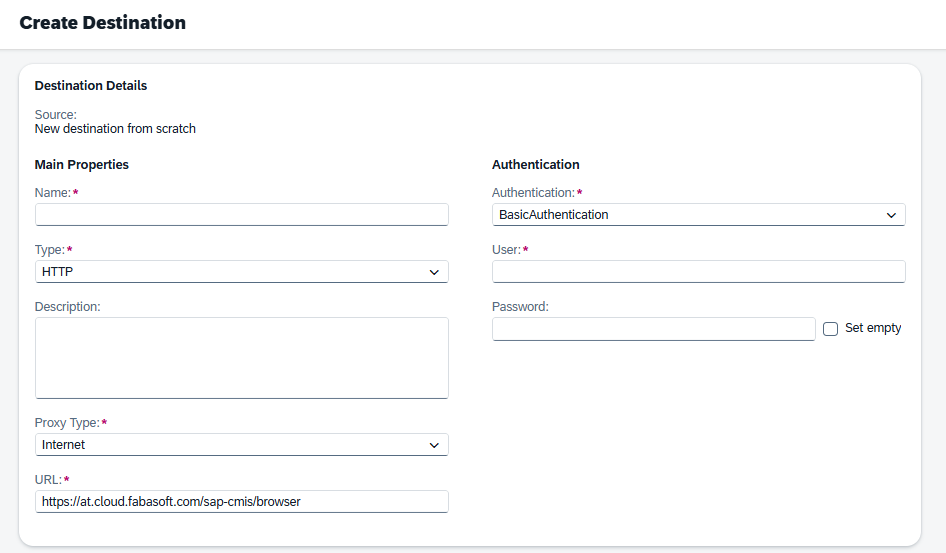
- Authentication method should be “BasicAuthentication”. The username is the one used when creating a CMIS repository in the Fabasphere. The password is the API token created previously.
- To access the Fabasphere SAP CMIS service in the data location Austria, use https://at.cloud.fabasoft.com/sap-cmis/browser in the URL field.
- The destination name will later be used for creating a BTP proxy repository.
Destination and Service Key for SAP S/4HANA
- Follow the steps described in chapter “BTP Destinations”, then select “Service Instance”.
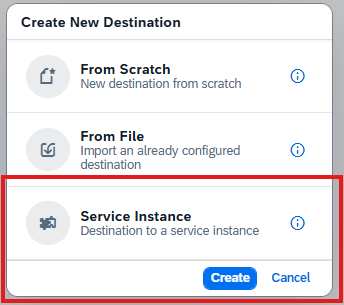
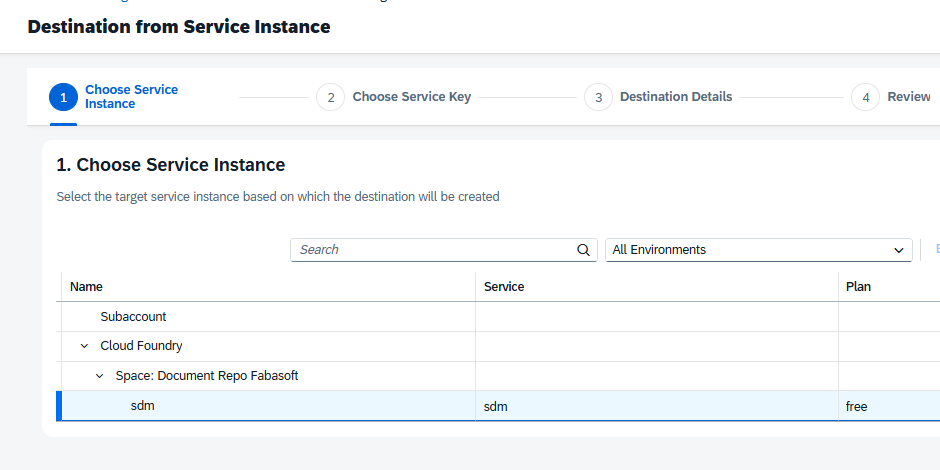
- Choose Service Instance and press “Next”.
- One could either choose an existent Service Key or generate a new one. The latter option ensures a proper key structure.
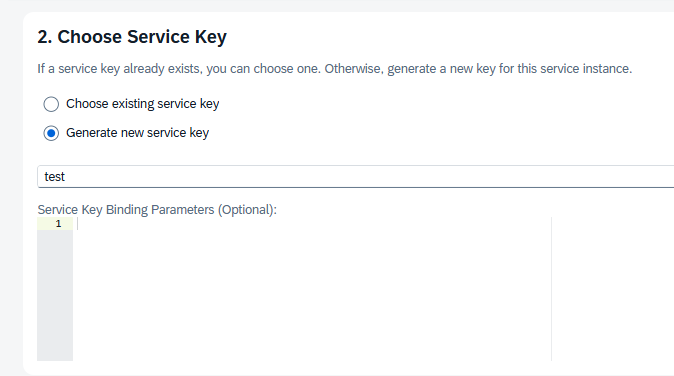
The Service Key binging parameters are optional and can be fully omitted. - In the next window provide a name for the new key again, other parameters change is not necessary.
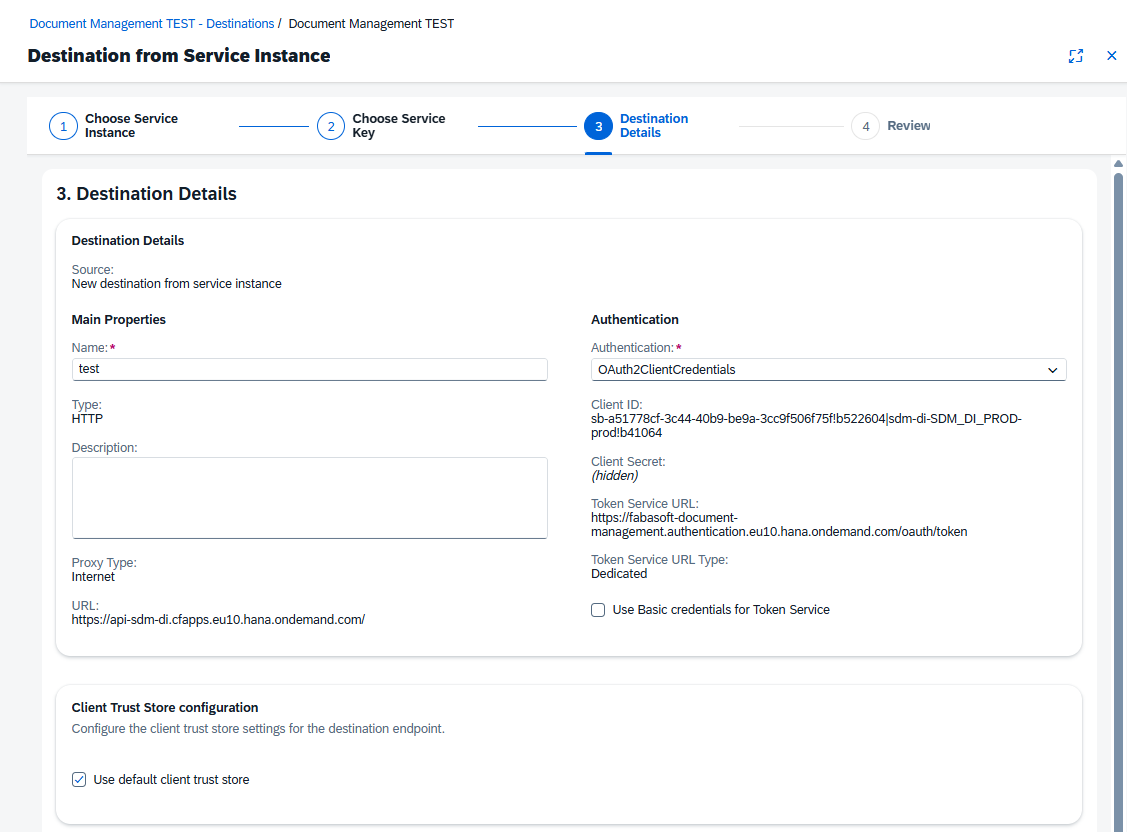
- In the review section ensure everything is set as expected and press “Create” to confirm the choices.

- The OAuth 2.0 ClientID and client secret can be discovered by opening the Service key in the instances overview tab.
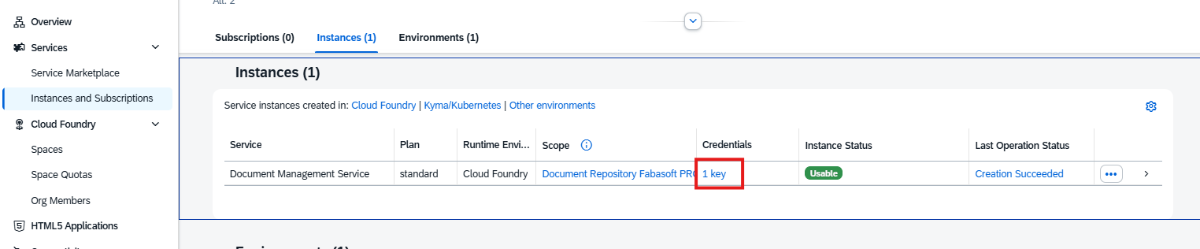
BTP API and Proxy Repository
As described in chapter “Destination to Access the Fabasphere”, a proxy BTP repository needs to be created. In order to create and access it, one could use the Postman collection (https://github.com/sap-tutorials/sap-build-apps/blob/main/projects/dms/DMS_CMIS.postman_collection.json: new window) as described here:
- The request structure to create repository should look as follows:
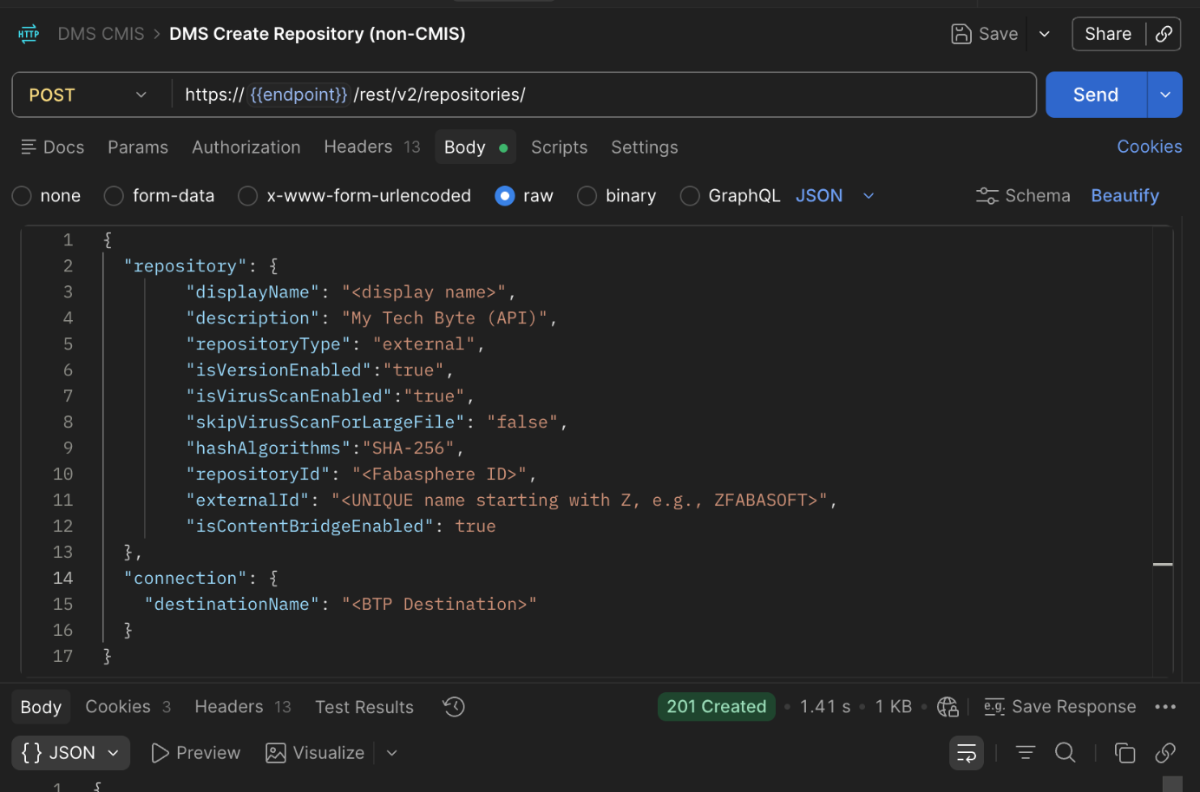
- The “repositoryID” is the Fabasphere ID, copied after the Fabasphere repository creation (see chapter “Repository Creation”).
- The “externalID” is a proxy repository name for SAP S/4HANA. For this repository to work the name must start with “Z” (e.g. ZFABASOFT123) and be unique, since according to the previous findings, if the repository has ever been used by SAP S/4HANA, the state is cached on their side and the newly created repository may never be initialized (since treated as initialized formerly). The cache validity on their side is unknown.
- The “destinationName” is the name of destination created in chapter “Destination to Access the Fabasphere”.