

2026 October Release
SAP S/4HANA Configuration
The SAP S/4HANA configuration consists of the following steps:
- Create Communication System following these steps:
https://help.sap.com/docs/SAP_S4HANA_CLOUD/0f69f8fb28ac4bf48d2b57b9637e81fa/03414f87d6e14dff9450e20e21632826.html#create-a-communication-system: new window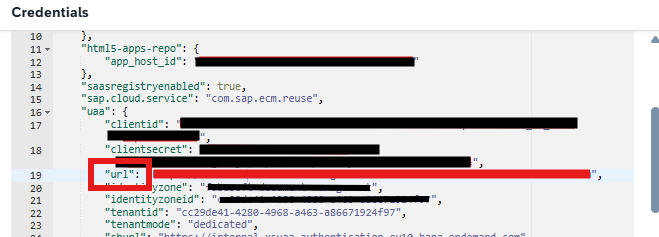
- The OAuth 2.0 credentials can be found inside the Service Key (see chapter “Destination and Service Key for SAP S/4HANA”).
- The Authorization Endpoint field must contain a value from “uaa.url” taken from the Service Key.
- Create Communication Arrangement following these steps:
https://help.sap.com/docs/SAP_S4HANA_CLOUD/0f69f8fb28ac4bf48d2b57b9637e81fa/03414f87d6e14dff9450e20e21632826.html#create-a-communication-arrangement: new window- The “Content Repository” field should contain the repository name set in the “externalID” field above (see chapter “BTP API and Proxy Repository”).
- The “Service URL” field should contain the URL from the “ecmservice” entry of the Service Key (see chapter “Destination and Service Key for SAP S/4HANA”), followed by the /browser path.
Example: https://api-sdm-di.cfapps.eu10.hana.ondemand.com:443/browser
- Storage Category should be configured and activated as described here:
https://help.sap.com/docs/SAP_S4HANA_CLOUD/0f69f8fb28ac4bf48d2b57b9637e81fa/03414f87d6e14dff9450e20e21632826.html#configuration-items: new window
Note: If the Content Repository assigned to Communication Arrangement is desired to be changed, it’s not enough to just edit and save the configuration, because it will not trigger creation of necessary types and folder structure (initialization process) in the newly assigned CMIS repository. To trigger this process, apart from changing the Content Repository field, the Communication System should be changed to another one, saved, and then changed again to the original value.