

Fabasoft Approve 2026 May Release
Find out more about new features and improvements in Fabasoft Approve.
Solution Area: Correspondence Management
The following new features await you in the correspondence management solution area.
Users
As a user you can expect the following new features.
Importing and Updating Document Entries
Documents and document instances can now be imported or updated along with their document entries and comment entries. This makes it easy to import existing content and customize it as needed.
This feature is available if “Allow document publishing without a request” is enabled in the repository. The process is the same as the standard document import. If you also want to transfer document entries or comments, these can be imported via corresponding additional columns.
Improvements to Quality Gates
The following improvements have been made to the handling of quality gates.
- Editing quality gates of documents
Quality gates can now be adjusted not only in the settings but also directly via the “Edit Schedule” menu. Changes can be made both for individual documents and collectively for multiple documents at the same time.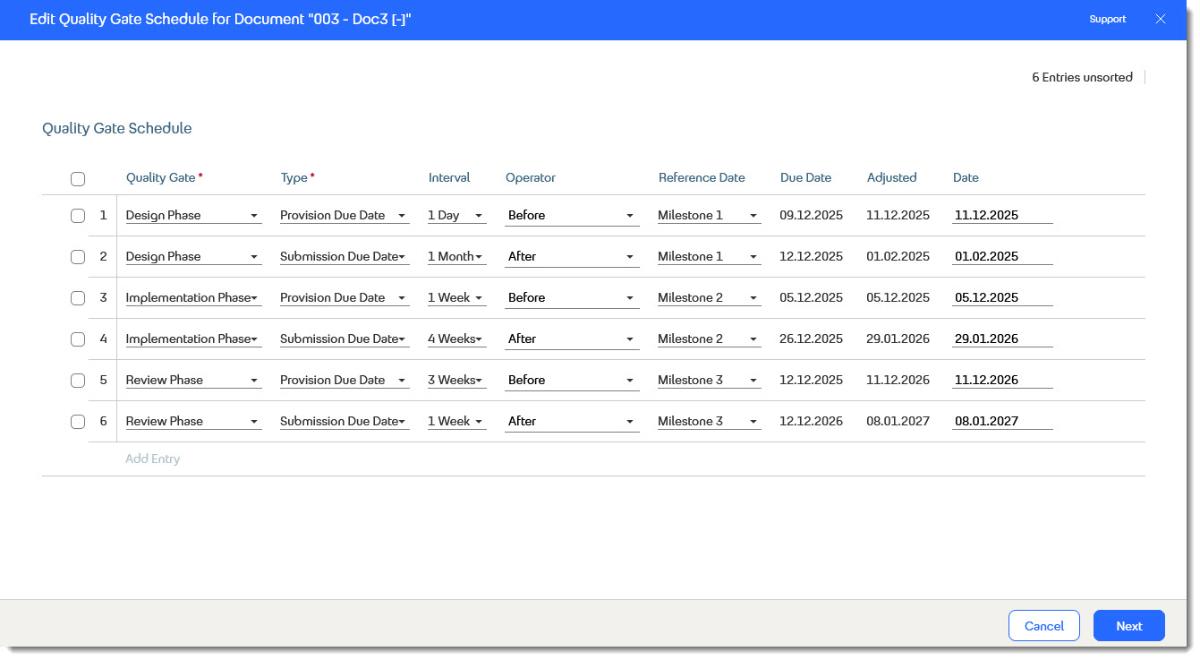
- Exporting/Importing documents with quality gates
When documents are exported, existing quality gates are automatically included and correctly carried over during import. This ensures that the planning remains consistent and complete. - Improved display of quality gates data
The display of quality gates has been made clearer, allowing relevant information to be captured more quickly. Due dates, changes, and relationships are more clearly structured and easier to track. This makes navigation easier and supports more efficient planning and management of documents.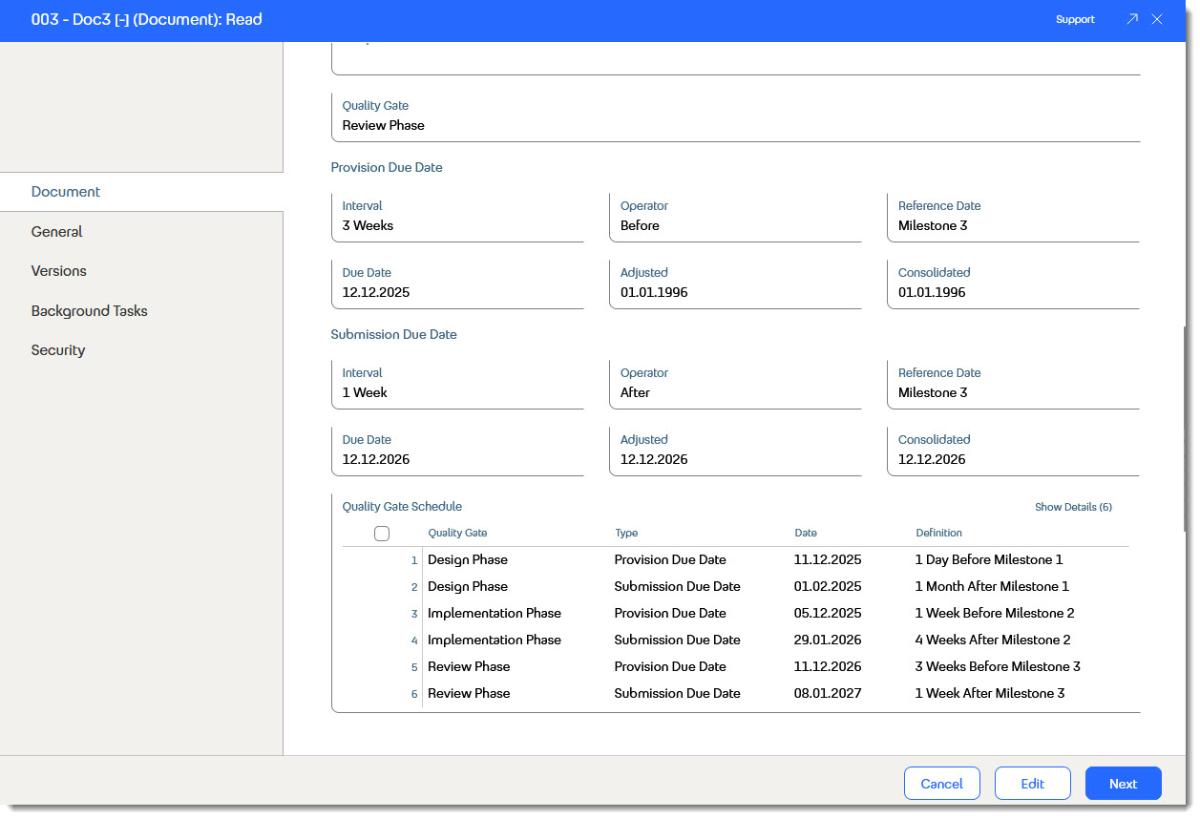
Automatic Completion of “Send Case” Activities
Processes related to sending cases have been simplified. The Send Case (with Rejection) and Send Case (without Rejection) activities are now automatically marked as completed as soon as all associated documents have been responded to via mail.
This eliminates the need to manually complete the activities using the “Completed” step and ensures that no open cases are overlooked. New processes can then be started immediately without having to complete previous steps retroactively.